
AI QA Playground: A Real Test Automation Practice Project (Playwright + Pytest)
GitHub Repository: github.com/vmqa/qa-chatbot-playground
If you're learning test automation, finding a realistic practice project is harder than it should be.
Most tutorials use basic demo apps — login forms, todo lists, static APIs.
But modern applications are more complex. They include:
- Asynchronous behavior
- API integrations
- Rate limiting
- Error handling
- Real-time updates
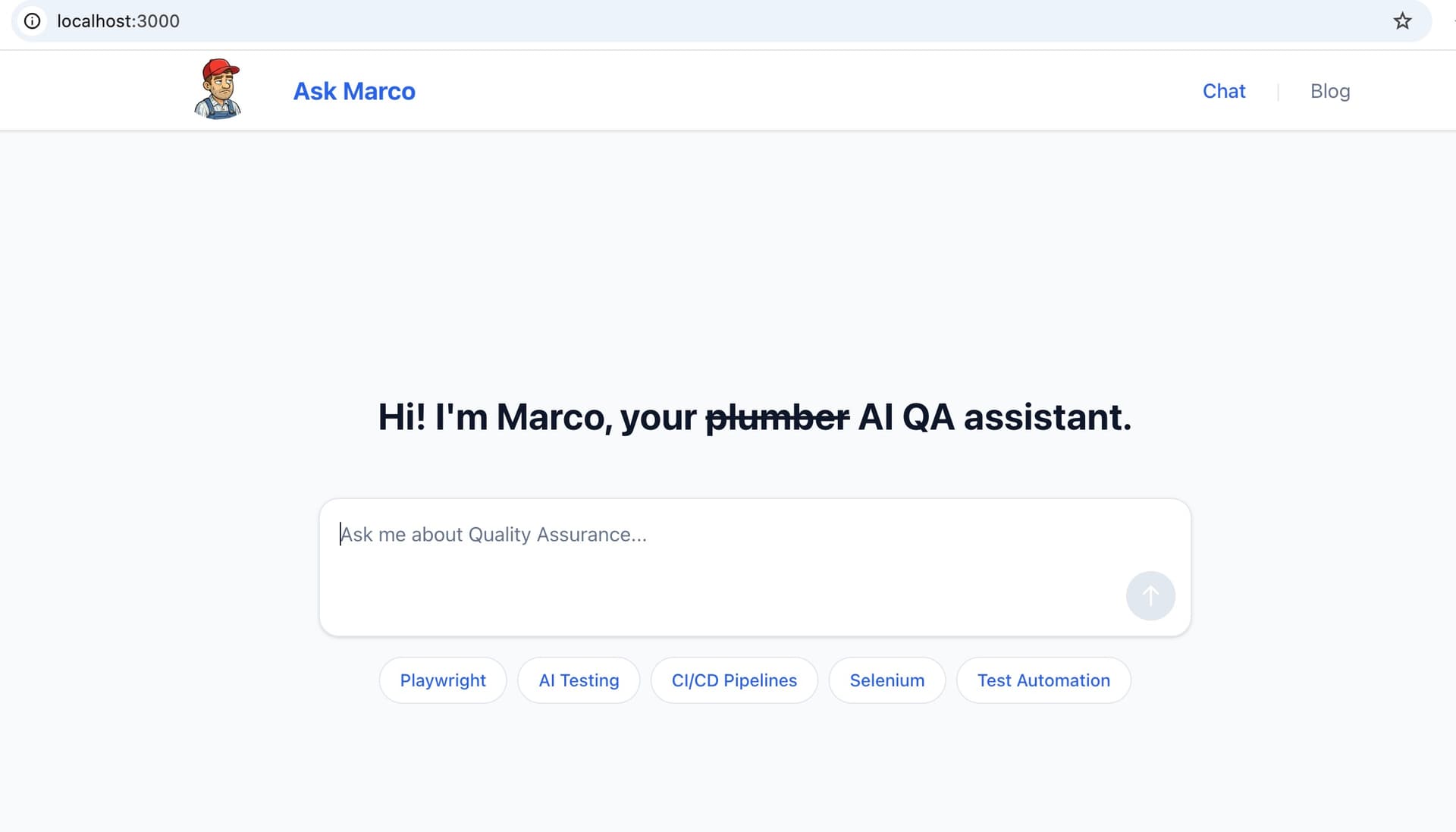
That's why I built AI QA Playground — a full-stack application designed specifically as a test automation practice project using Playwright and Pytest.
What Is AI QA Playground?
AI QA Playground is a full-stack chatbot application built to help QA engineers practice:
- UI automation testing
- API automation testing
- End-to-end testing
- CI/CD pipeline integration
Tech Stack
- Frontend: Next.js 14 + TypeScript + TailwindCSS
- Backend: FastAPI + Python 3.11
- Testing Frameworks: Playwright (E2E), Pytest (API testing)
- CI/CD: GitHub Actions
The project runs 100% locally and only requires your own OpenAI API key. No deployment. No hosting. No cloud infrastructure.
Why This Is a Better Test Automation Practice Project
If you're searching for:
- "Playwright practice project"
- "Pytest API testing example"
- "Test automation portfolio project"
- "QA automation real-world example"
This project is built exactly for that purpose.
Unlike simple demo apps, this system includes:
- Streaming responses
- Rate limiting (20 requests/hour per IP)
- Input validation
- Error handling
- Async UI behavior
- Real backend API endpoints
This allows you to practice real-world automation scenarios instead of isolated examples.
Practicing UI Automation with Playwright
The frontend behaves like a production-style application. You can practice:
- End-to-end testing with Playwright
- Handling asynchronous UI updates
- Validating streaming responses
- Testing loading states and disabled buttons
- Implementing Page Object Model (POM)
- Writing reliable selectors
- Running headless vs headed tests
- Integrating Playwright into CI/CD pipelines
Here's an example from the project — a Playwright test using Page Object Model that sends a message and verifies the AI response:
test("Chatbot responds to greeting", async () => {
  await test.step("Input chat message", async () => {
    await mainChatPage.toBeOnChatPage();
    await mainChatPage.toHaveInputFocusInsideChat();
    await mainChatPage.toHaveSubmitButtonBeDisabled();
    await mainChatPage.fillChatInput("Hello");
    await mainChatPage.clickSubmit();
    await mainChatPage.toHaveUserMessage("Hello");
  });

  await test.step("Verify assistant response", async () => {
    await mainChatPage.toHaveAssistantMessageContaining(GREETING_MARKERS);
    await mainChatPage.toHaveInputFocusInsideChat();
    await mainChatPage.toHaveSubmitButtonBeDisabled();
  });
});This is ideal for QA engineers learning Playwright, preparing for SDET interviews, or building an automation portfolio.
Practicing API Automation with Pytest
The FastAPI backend provides realistic API endpoints for automation testing. You can practice:
- API request/response validation
- Schema validation
- Boundary and edge case testing
- Rate limit validation
- Error response assertions
- Test fixtures and test structure in Pytest
- Organizing smoke vs regression test suites
Here's an example — a Pytest test that verifies the chatbot stays on topic and declines off-topic questions:
@pytest.mark.regression
def test_chat_redirects_offtopic_questions(test_client: TestClient):
    """Chat should politely decline off-topic questions."""
    response = ask_question(test_client, "What is the capital of France?")

    assert response.status_code == 200

    message = get_response_text(response)
    message_lower = message.lower()

    # Should NOT contain the answer to the off-topic question
    assert "paris" not in message_lower, \
        "Should not answer off-topic geography question"

    # Should indicate it's outside scope or redirect to QA topics
    decline_indicators = [
        "outside my",
        "not about",
        "focus on",
        "ask about my",
        "instead",
        "can't help with that",
    ]

    has_decline = any(indicator in message_lower for indicator in decline_indicators)
    assert has_decline, \
f"Response should decline off-topic question. Got: {message}"If you're learning Pytest for API testing, Python-based automation, or backend validation strategies — this project gives you hands-on experience.
Full-Stack Test Automation Strategy
Because AI QA Playground includes both frontend and backend layers, you can practice:
- UI-only tests
- API-only tests
- Multi-layer validation strategies
- Hybrid automation approaches
- Test data management
- CI/CD test execution
This mirrors how automation works in real engineering teams.
CI/CD Automation Practice
The repository includes GitHub Actions workflows, allowing you to:
- Run Playwright tests in pipeline
- Execute Pytest API tests in CI
- Simulate failed builds
- Improve test reliability
- Practice automation reporting
For QA engineers moving toward SDET or Quality Engineering roles, this is especially valuable.
Who Should Use This Project?
This test automation playground is ideal for:
- Junior QA engineers learning automation
- Manual testers transitioning to automated testing
- Developers improving testing skills
- QA engineers building a public portfolio
- Candidates preparing for automation interviews
Instead of saying "I learned Playwright," you can show a structured, real-world automation project.
Video Walkthrough
Conclusion
Improving your automation skills requires:
- A realistic system
- Multiple testing layers
- API and UI coverage
- CI/CD integration
- Meaningful edge cases
AI QA Playground provides that environment.
It's open-source. It runs locally. And it's built specifically for learning and practicing Playwright and Pytest automation.
If you're serious about improving your automation skills — this is a practical place to start.